Are the dice in Dice Drop fair and random?
Yes. Every throw is seeded from your device’s cryptographic random source and then resolved by the 3D physics simulation: the number is read from the face that lands up, so no face is favoured. The one exception is the d100 and d120, which are so close to spheres that they roll as a ball; their number is a uniform random draw (checked over 200,000 draws), and the ball is turned to show it as it slows. Over many rolls each die is perfectly even — a d20 gives every number a 1-in-20 chance. The less usual shapes were checked the same way: the d5 and d7 prisms were tuned by rolling them until every face came up equally often. That makes a well-built digital roller every bit as fair as a well-made physical die; if anything, it sidesteps the tiny manufacturing biases real dice can have. We publish the results of rolling every die thousands of times on our fairness page, and there’s a full explanation in are digital dice fair?
You can also check it yourself: tap FAIR DICE in the roller to throw any die up to 100,000 times and watch the results come in, and see our own published tests, die by die, at dicedrop.co.uk/fairness.
Is Dice Drop free?
Yes. Rolling is free, with no account to create and nothing to install. Every die is included, from the d1 to the d120, and you can throw up to 4 dice at a time in the Classic finish on the Tavern Green felt. The free version also has Custom Dice (up to 4 dice in two kinds, such as 2 red against 2 blue with who wins, in one saved set), advantage and disadvantage, modifiers, roll history and statistics, and it works offline. A small advert helps cover hosting costs, and there is an optional one-off upgrade to remove it if you prefer a clean screen.
What is Premium, and what does the free trial include?
Premium is the advanced side of Dice Drop: up to 20 dice a throw; 19 material finishes (marble, galaxy, gold, silver, copper, onyx, gemstones, steel and more); 8 more table colours; tray surfaces in wood, stainless steel, ceramic, marble, slate and glass; mixed pools of different dice in one throw; macros and roll formulas; Pass & Play, hosting Play Together rooms for game night (guests join free); physics tuning (gravity, bounce and throw); over 40 D2 face pairings, or your own; and the full Custom Dice, with mixed colours and shapes, up to 20 dice and 8 kinds in a set, and as many saved sets as you like.
You can try all of it free for 7 days — there is no card to enter and no account to create. Open the roller, tap Dice & Tray, and the trial is at the bottom of that panel. When it ends nothing is charged and nothing is lost; the roller carries on working exactly as before, and you can unlock Premium permanently with a one-time payment if you want it back. It is not a subscription.
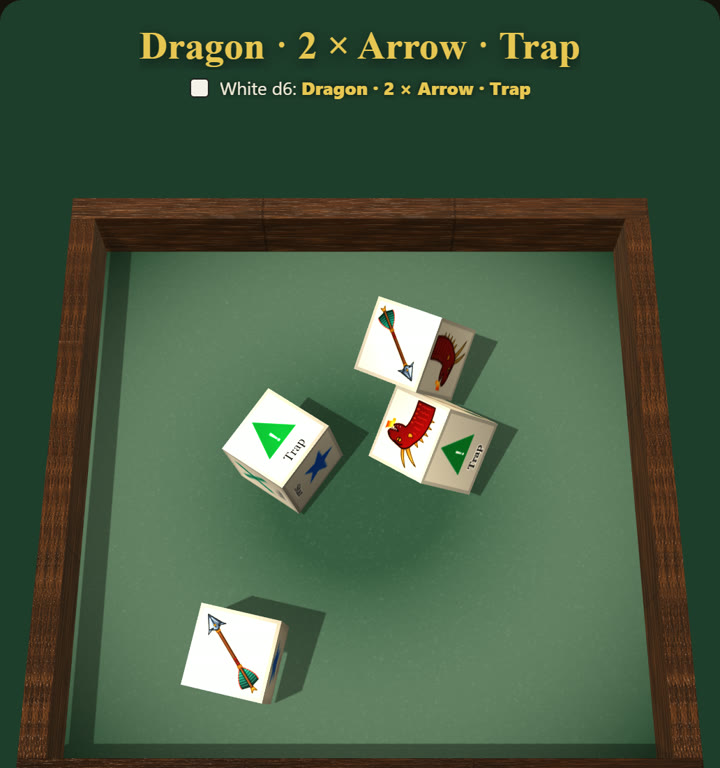
Premium also adds picture dice, your own drawing, logo or photo on the faces of a d2, d3 or d6, and the full Story board library, so you can choose your own six from all 90 pictures.
If I buy Premium, does it work on my phone and my computer?
Each place you buy it covers that place. A purchase on the website unlocks Dice Drop in your web browser, and you can restore it in any other browser with the same email address. The iPhone and iPad app is bought through the App Store and works on every device signed in to the same Apple ID. The Android app is bought through Google Play and works on every device signed in to the same Google account. Apple and Google handle their own payments, so a purchase in one of them cannot unlock the others, or the website.
Which dice does Dice Drop have?
Every one from a d1 to a d120, all rolled with real 3D physics: the d1, d2, d3, d4, d5, d6, d7, d8, d10, d12, d14, d16, d20, d24, d30, d48, d60, d100, the d% percentile pair and the d120.
A few are unusual. The d1 is a Möbius band — it has one face, so it always rolls a 1. The d2 is a coin, or a cube read 1–2. The d5 is a triangular prism, the d7 a pentagonal prism, the d14 a heptagonal trapezohedron and the d16 an octagonal bipyramid. The d100 is a single 100-sided ball, the Zocchihedron, which rolls along the felt; the d% is the classic pair of d10s, tens and units, where 00 and 0 read as 100. The d120, a disdyakis triacontahedron, is the largest fair die there is.
What are the d5, d7, d14 and d16 for?
They are the Dungeon Crawl Classics “dice chain” dice. DCC moves a roll up or down a chain of die sizes, and these four fill the gaps between the usual ones. The d5 is a triangular prism like the DCC d5, and it and the d7 prism were tuned by rolling so that every face comes up equally often.
Which dice do I need for Dungeons & Dragons?
A standard D&D set has seven dice: the d4, d6, d8, d10, d12, d20 and a percentile d10 (marked 00–90) that pairs with the normal d10 to roll 1–100. The d20 does most of the work — attacks, saving throws and ability checks — while the others roll damage and effects. Dice Drop includes every one of them, and its d% rolls the percentile pair together, so you never need to own a physical set. For a full breakdown see what dice you need for D&D 5e.
What are Custom Dice?
Custom Dice lets you make your own dice. Tap the Custom Dice box and choose My dice, Upload your own designs, Story board, Import or Export. In My dice you set how many dice, which die (any from the d1 to the d120), their colour, and a name for each colour. On the d2, d3, d6, d8, d10, d12, d14, d16 and d20 you can also put your own words on the faces and give each face a value, for example an oracle die reading “No, and…”, “No”, “No, but…”, “Yes, but…”, “Yes” and “Yes, and…”. With Premium, the faces of a d2, d3 or d6 can carry your own pictures. The d100 and d120 can be coloured but keep their numbers. The set you roll stays loaded, even after a restart, until you tap STANDARD DICE to go back to normal dice. Free, you get up to 4 dice in two kinds and one saved set; Premium adds up to 20 dice in 8 kinds and as many saved sets as you like.
How are Custom Dice scored, and can they roll opposed pools?
Dice that look alike are scored together, and each kind is scored on its own. Under How to read the roll you choose to add them up, count successes (a face worth a number you set or more), keep the highest, keep the lowest or just show the faces, or an opposed roll: the first two kinds are rolled against each other and Dice Drop says who wins, by the higher total, the most successes or the best single die. That suits opposed and colour-coded pools, such as FU, and any game that rolls two colours of dice against each other. Two kinds in a set are free; three or more need Premium.
How do I roll with a venue’s own dice?
Games venues, cafés, clubs, groups, societies and community spaces can put their logo on Dice Drop dice and display a QR code. Scan it and you roll with that venue’s dice. If you have been given a code instead, open Dice & Tray and tap Got a dice code from a venue? Dice Drop keeps the code and switches the venue’s dice on by itself once their design is approved — usually within the hour, but it could be longer if we’re exceptionally busy. You can switch each venue’s dice off, or remove them from your device, at any time. Venue dice work on the web roller at dicedrop.co.uk/roll and in the App Store and Google Play apps from version 1.0.2.
Can I put my venue’s logo on the dice?
Yes, and it is free. Games venues, cafés, clubs, groups, societies and community spaces can set up their dice at dicedrop.co.uk/venue: upload your logo, choose your colours, and you get a QR code to put on a table or the counter. Anyone who scans it rolls with your dice. Every design is checked before it goes live, usually within the hour, but it could be longer if we’re exceptionally busy. Nothing about a venue is visible to anyone who does not have its code.
Can I roll with friends?
Yes, in four ways. Play Together rooms are for everyone’s own phone or computer: the host creates a room and shares its code, and everyone sees every roll live. Only the host needs Premium; everyone who joins plays free. Inside Discord, Dice Drop runs as an Activity in a voice channel, and in Owlbear Rodeo as an extension: everyone at the table sees every roll, and it is free to play there. Pass & Play, part of Premium, is for one device handed round the table: each throw is scored to the player whose turn it is. None of them needs an account.
Can I roll several different dice at once?
Yes, with Premium. The free version throws up to 4 dice of one type at a time (or two kinds of dice in a Custom Dice set); Premium lets you build a mixed pool of up to twenty dice of different types and roll them together — 8d6 for a fireball, a fistful of d6 for a wargame, or a handful of d10 for a dice-pool system. Everything tumbles at the same time and the total is added up for you as the dice settle. If you want to understand how those totals behave, dice probability & odds shows why sums cluster in the middle.
Can it handle advantage, modifiers and rolling for stats?
Yes. Switch on Roll options in Settings and you can roll two d20 for advantage or disadvantage and take the higher or lower die, or add a flat modifier to a total. You can roll 4d6 for ability scores on the free version, and Premium’s roll formulas handle things like 4d6 drop lowest in one go. Our guide to the best dice by system covers which of these each game leans on.
Does Dice Drop work offline?
Yes. The simulation runs entirely on your device, so once the page has loaded (or the app is installed) you can keep rolling with no internet connection — useful on a train, at a campsite, or anywhere the signal disappears. The ads and any updates need a connection, and so do Play Together rooms and fetching a venue’s dice; the dice themselves never do.
How do I remove the ads?
There is an optional ad-free upgrade available from inside Dice Drop. It is a one-off purchase rather than a subscription, and it simply hides the advert. Premium and the free trial do not remove the ads on their own; you can buy the ad-free upgrade by itself or together with Premium. The dice and the physics are identical whether or not you remove the ads.
Do I need to install anything or make an account?
No. Dice Drop runs in any modern web browser on a phone, tablet or computer. There is no app download, no sign-up and no personal details required. Open the page and you can roll immediately. If you would rather have an app, free versions are also on the App Store and Google Play, adding haptics and flick-to-roll.
Is there a guide to the dice and the games?
Yes. The Dice & Games Guide inside the roller covers every die and 73 games, and it works offline. Here on the site there are 95 free guides in all: the 73 game guides plus 22 articles on dice, odds and rolling. See all guides at dicedrop.co.uk/articles.
Ready to roll? Grab a die and throw it — free, offline-ready and one click away.
Roll now →